PLATFORM GUIDE
The whole journey, screen by screen.
Real screenshots from the Pactrise dashboard. Each numbered frame matches a note, so you know exactly what every tab does.
Tab: Overview
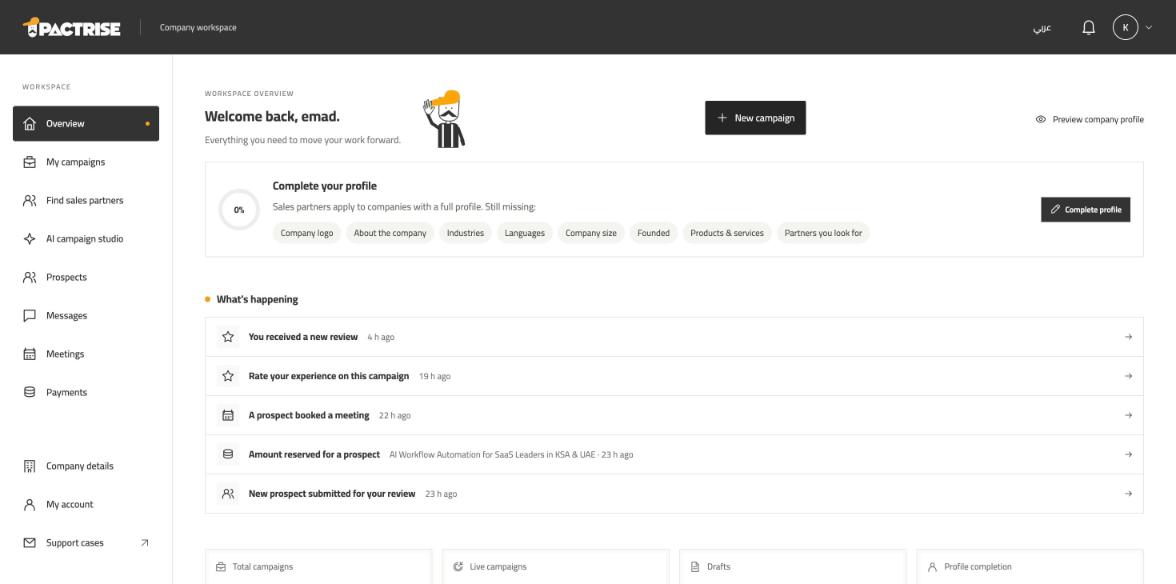
Start from your overview
Your home shows what needs you today and where everything stands.
- 1Complete your company profile — sales partners apply to companies with a full profile.
- 2What’s happening: new prospects, bookings, payments and reviews, newest first. Click any line to open it.
- 3Create a new campaign at any time.
Tab: AI campaign studio
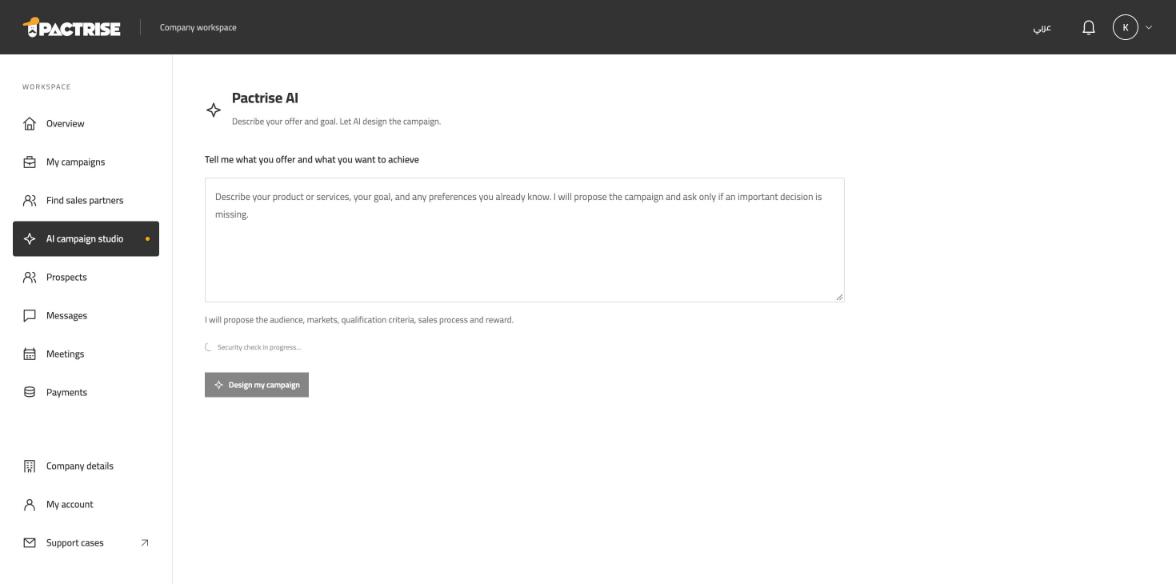
Describe your offer — AI designs the campaign
Write what you sell and the result you want. Pactrise AI proposes the audience, markets, qualification criteria and reward. You review everything before publishing.
- 1Describe your product, your goal and any preference you already know.
- 2Design my campaign — then save the draft and edit it in the campaign editor.
Tab: My campaigns
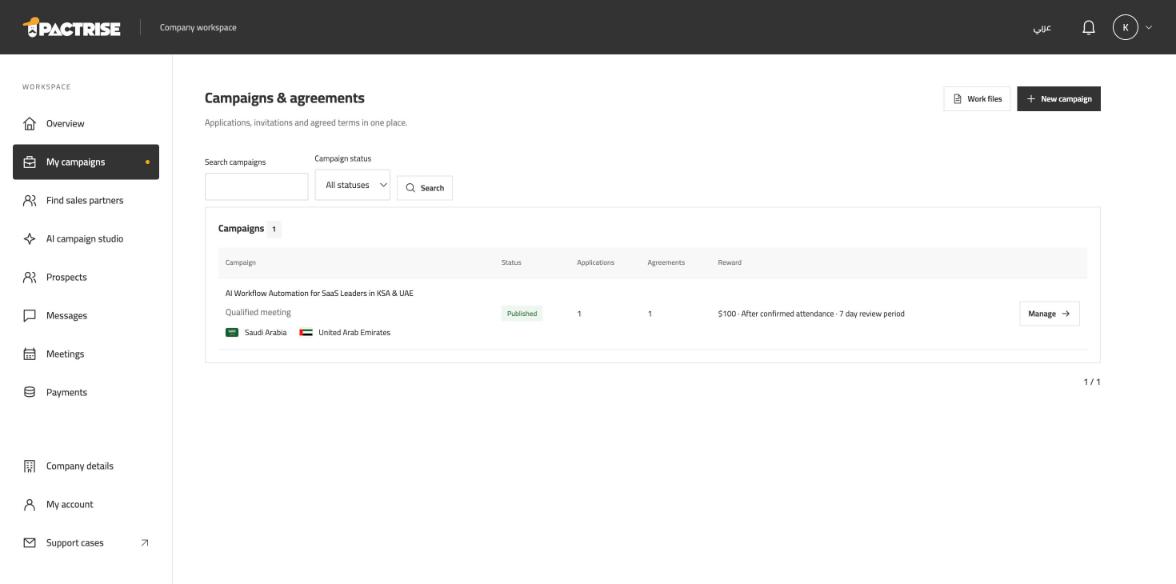
Publish and manage your campaigns
Every campaign shows its status, applications, agreements and reward. Agreements are versioned and accepted by both sides before work starts.
- 1Your campaign: markets, result type, applications and agreements.
- 2Manage: review applications, invite partners and negotiate terms.
- 3Work files: one file per agreed partner, with prospects and meetings.
Tab: Find sales partners
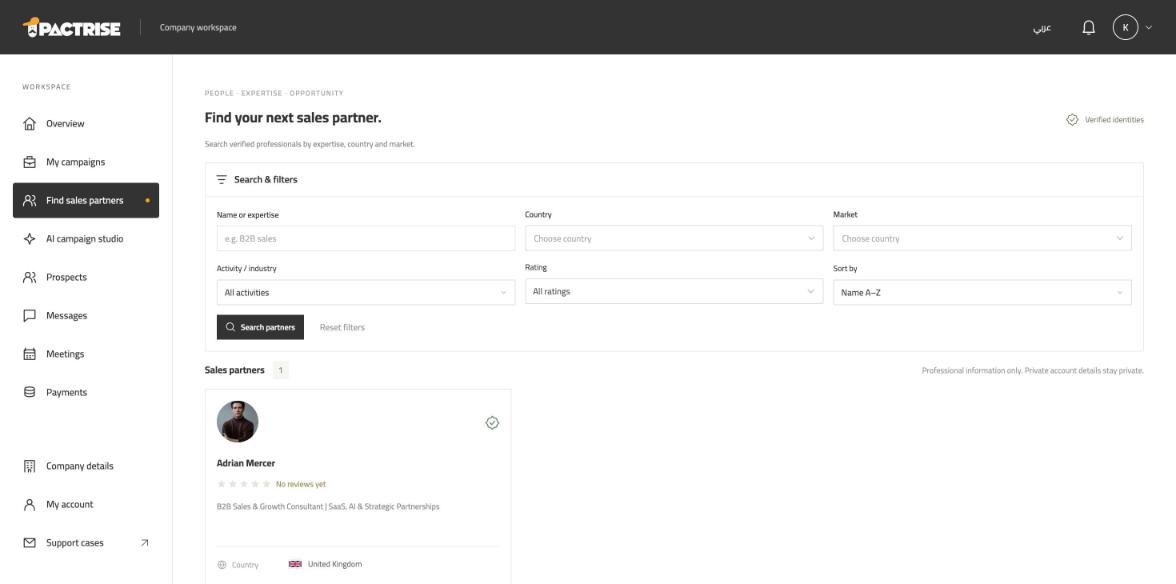
Find the right sales partner
Search identity-verified partners by expertise, country, market, industry and rating, then invite them to your campaign.
- 1Search and filters.
- 2Partner card: photo, rating, expertise and country. Open it to see the full profile and track record.
Tab: Prospects
Decide on the prospects your partners bring
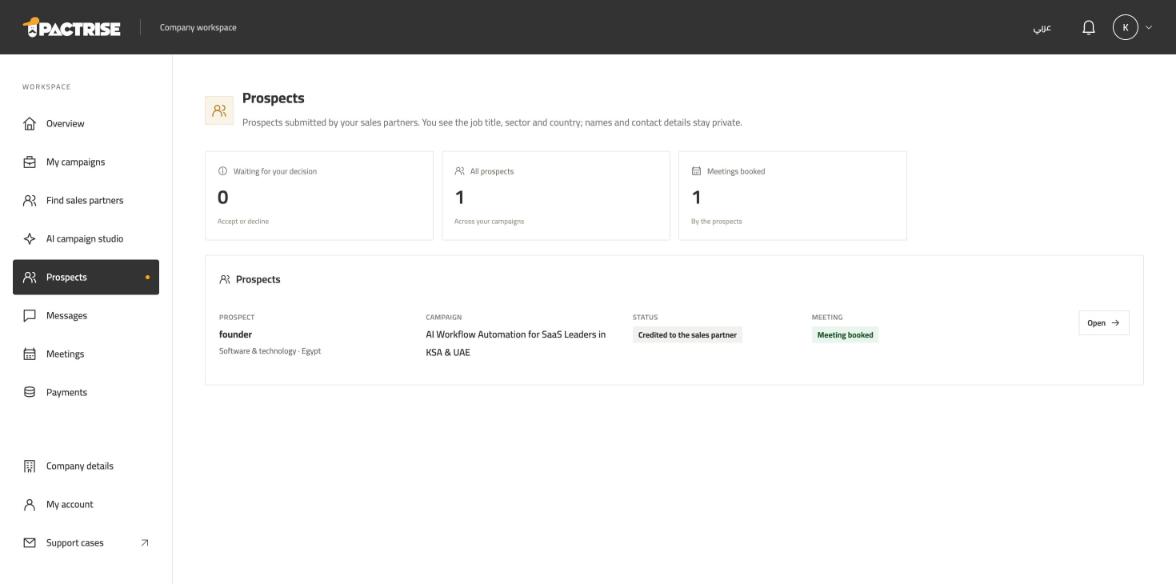
You see the job title, sector and country of every prospect — names and contact details stay private. Accepting a prospect reserves the agreed reward from your balance.
- 1Waiting for your decision, all prospects and meetings booked.
- 2Each prospect: role, sector, campaign, status and meeting.
- 3Open to accept or decline with a reason.
Tab: Work file
Follow each prospect to the meeting
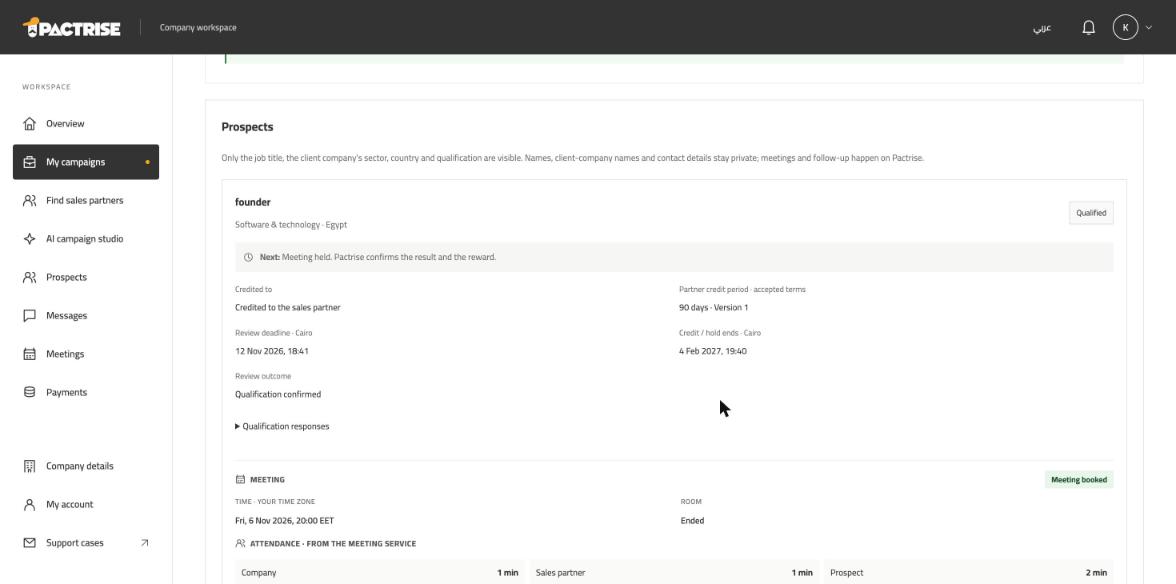
Inside the work file every prospect shows the next step, who acts, the agreed terms and the meeting with real attendance minutes.
- 1Next step — highlighted when it is your turn.
- 2Credit, review deadline and the outcome.
- 3The meeting: time, room and attendance recorded by the meeting service.
Tab: Meetings
Meet prospects on Pactrise
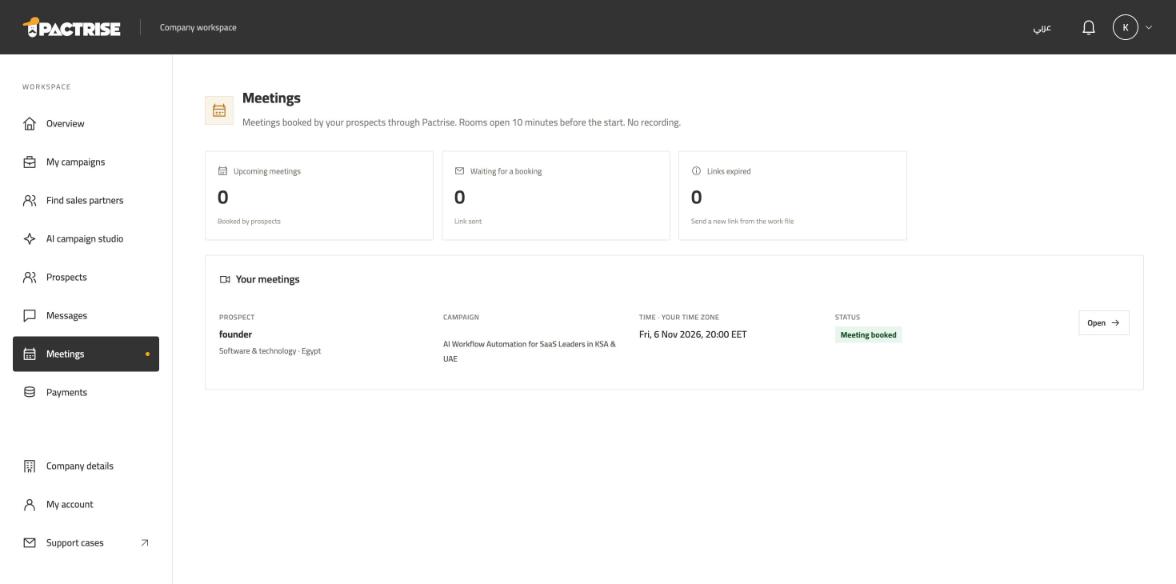
Prospects book a time themselves from a private link. The video room opens 10 minutes before the start, and everyone is alerted when it is ready.
- 1Upcoming meetings, links waiting for a booking and expired links.
- 2Open a meeting to join the room from your browser.
Tab: Payments
Fund your campaigns
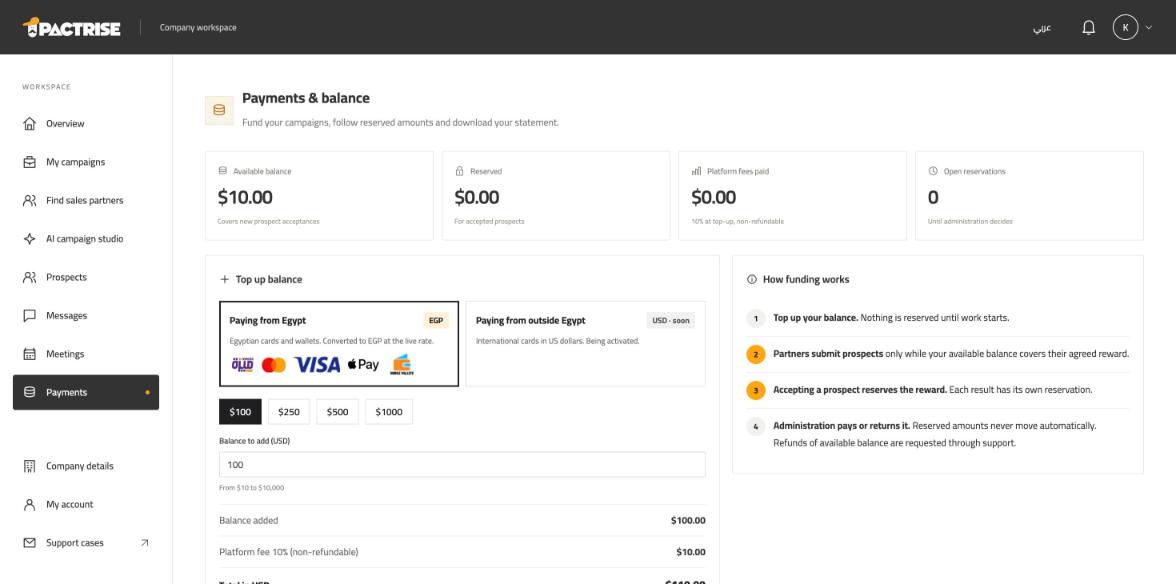
Top up your balance by card or wallet. Rewards are reserved only when you accept a prospect, and paid to the partner after the result is confirmed.
- 1Available, reserved, platform fees and open reservations.
- 2Top up — the 10% platform fee is shown before you pay.
- 3How funding works, step by step.
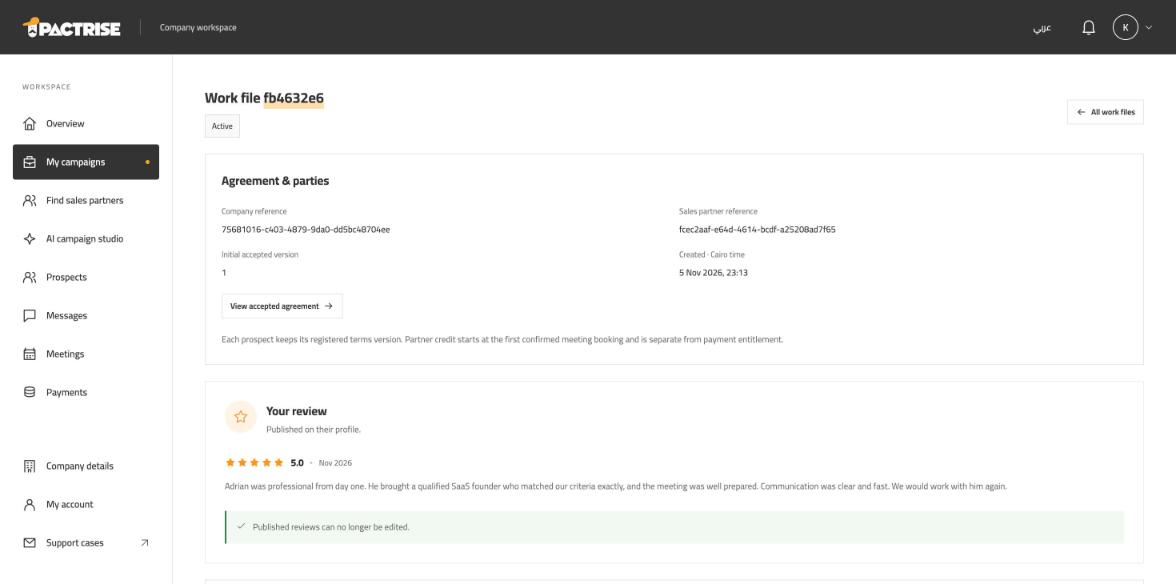
Tab: Work file
Rate your partner
After a meeting with proven attendance, both sides rate each other. Reviews stay hidden until both submit or 14 days pass, then appear on the profiles.
- 1Your review with stars and comment.
Ready to start?
Signup and campaign publishing are free.